Does what it says
Starts on time, keeps working after a restart, and never loses your rules. See at a glance whether each rule is on and how reliable it’s been over the last 7 days.
 Brakely
Block distracting apps and websites on schedule — even after a restart. No sign-up. Set up in three steps.
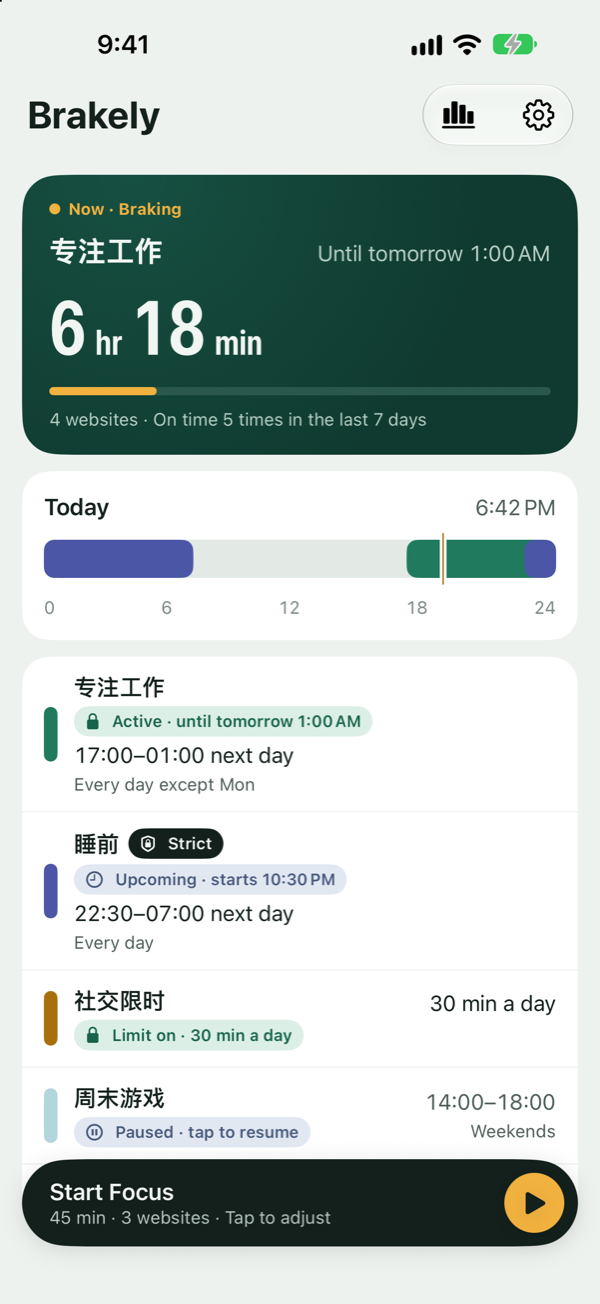
Starts on time, keeps working after a restart, and never loses your rules. See at a glance whether each rule is on and how reliable it’s been over the last 7 days.
No sign-up, no Shortcuts to configure. Pick a time, pick the apps and websites to block, and you’re done.
There’s a monthly plan. We remind you two days before your trial ends. How strict Strict mode is, and how to unlock it, is explained before you turn it on.
Which apps you use, and for how long, stays on your phone. Brakely doesn’t need an account and doesn’t upload this data.